
How to photograph golf clubs for an offer
Good photos help a buyer identify the club and understand its condition. Use this checklist before opening the Bolt Golf seller form.
Request an offer1 Use even light and a simple background
Place the club against a plain background in bright, indirect light. Wipe away loose dirt without altering or concealing the finish. Check that the markings are readable and the photo is in focus.
Examples from the seller photo guide
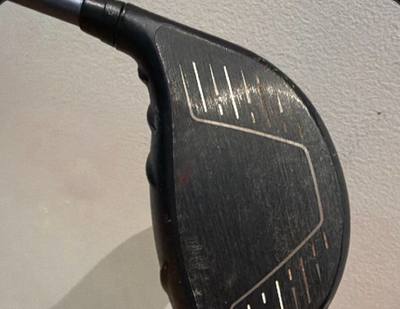
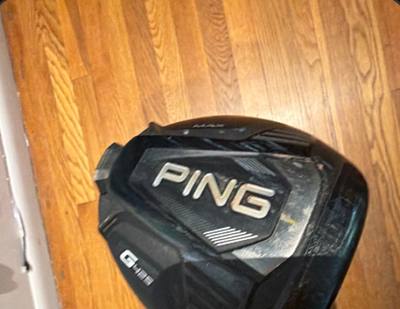
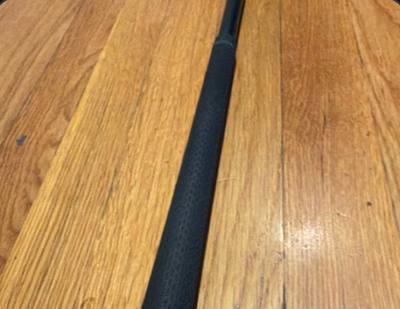
These examples show visible face wear, sole markings, and grip condition. Add your own close-ups wherever details or damage need a clearer view.
2 Show the face and sole
Take a straight-on photo of the face and a separate photo of the sole. Include grooves, model markings, loft markings, and visible wear. Avoid glare that hides scratches or dents.
3 Capture the shaft and grip
Make the shaft label and flex readable. Show the grip and any wear, splitting, or modifications. Include a full-length view if it helps show what is included.
4 Account for every item
For an iron set, show all club numbers and note any missing clubs. Photograph accessories that are included. For a headcover, show the design, lining, opening, closure, and tags.
5 Add close-ups of defects
Include damage and wear in both the photos and written condition notes. Do not use filters, retouch defects, or use someone else’s product photos as evidence of your item.
6 Review before sending
Confirm the photos match the item, the brand and model are correct, and the notes disclose known changes. Then request an offer. Photos help review, but payment still depends on arrival and inspection.
Questions before you submit
Do I need professional equipment?
No. A phone camera with clear lighting and readable details is enough to prepare a useful submission.
Can I use a stock photo?
Use photos of the actual item. Stock images do not show its condition or confirm what is included.
Ready to send your photos?
Submit the actual item details and review the offer before deciding to ship.
Request an offer